

Installation of a printer on a computer is the most important part in order to give print commands to the printer from the computer. Without installation, you won’t be able to print. In order to install the HP DeskJet 2875 printer, you will require its latest version driver. Here on this page, you will get the driver download link and also read the step-by-step installation to know the proper installation process.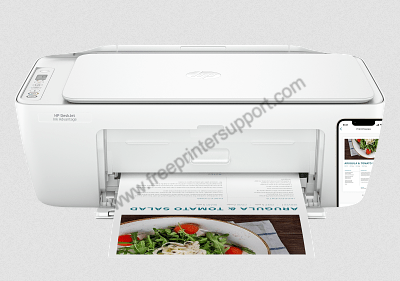

HP DeskJet 2875 Printer Driver for Windows
Supported OS: Windows 8.1, 10, 11 (32bit/64bit)
Advertisement
| Driver File | Size | Download |
| Full Feature Driver for Windows XP/Vista/7/8/8.1 (32bit/64bit) | – | Not Available |
| Full Feature Driver for Windows 10/11 (32bit/64bit) Driver Type: Full Feature Driver File Name: HPEasyStart-15.8.1-DJ2800_57_2_1683_3_Webpack.exe Version: v57.2.1683 Language: English Driver Pack Included: Printer & scanner driver |
323.4 MB | Download |
| HP Easy Start Driver for Windows 10/11 (32bit/64bit) File Name: HPEasyStart_17_4_18.exe Version: v17.4.18 Language: English Driver Pack Included: Printer & scanner driver |
24.4 MB | Download |
| Full Feature Scanner Driver for Windows 8.1/10/11 (32bit/64bit) Driver Type: Full Feature Driver File Name: Full_Webpack-63.6.6364-SJ0001_Full_Webpack.exe Version: v63.6.6364 Language: English Driver Pack Included: Scanner driver & software |
439.6 MB | Download |
| Basic Driver for Windows 8.1/10 (32bit) Driver Type: Basic Driver File Name: Basic_Webpack_x86-63.6.6364-SJ0001_Basicx86_Webpack.exe Version: v63.6.6364 Language: English Driver Pack Included: Scanner driver |
87.1 MB | Download |
| Basic Driver for Windows 8.1/10/11 (64bit) Driver Type: Basic Driver File Name: Basic_Webpack_x64-63.6.6364-SJ0001_Basicx64_Webpack.exe Version: v63.6.6364 Language: English Driver Pack Included: Scanner driver |
116.1 MB | Download |
| Full Feature Driver for Server 2003 to 2025 (32bit/64bit) | – | Not Available |
| Firmware Updater for Windows File Name: DJIA2800_2612A.exe Version: v2612A Language: English Driver Pack Included: Firmware |
14.7 MB | Download |
Driver for Mac
Supported OS: Mac OS 10.12 to 10.15, 11.x, 12.x, 13.x, 14.x, 15.x, 26.x
| Driver File | Size | Download |
| Full Feature Driver for Mac OS 10.x, 11.x, 12.x, 13.x, 14.x, 15.x, 26.x File Name: hp-easy-start-mac.zip Version: v10.8 Language: English Driver Pack Included: Printer & scanner driver |
10.8 MB | Download |
| Firmware Updater for Mac OS File Name: DJIA2800_2612A.dmg Version: v2612A Language: English Driver Pack Included: Firmware |
17.8 MB | Download |
Driver for Linux/Ubuntu
Supported OS: Linux/Ubuntu
| Driver File | Size | Download |
| Universal Driver for Linux and Ubuntu File Name: hplip.run Version: v23.8 Language: English Driver Pack Included: Printer & scanner driver |
25.9 MB | Download |
OR
Download the HP DeskJet 2875 printer driver from HP website.
How to Install HP DeskJet 2875 Driver
Follow the instructions of the full feature driver and basic driver (INF driver) installation guide shared below for free, and you can install your HP DeskJet 2875 printer driver without any problem.
1) Full Feature Driver
In the following steps I will describe the installation process of the full feature HP DeskJet 2875 driver in Windows 10, but you can follow these steps for all the supported versions of the Windows OS.
- Run the driver setup file, and wait for the Easy Start to load on your computer.
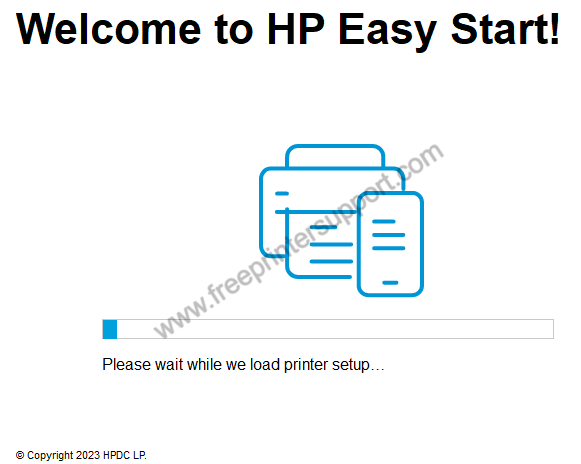
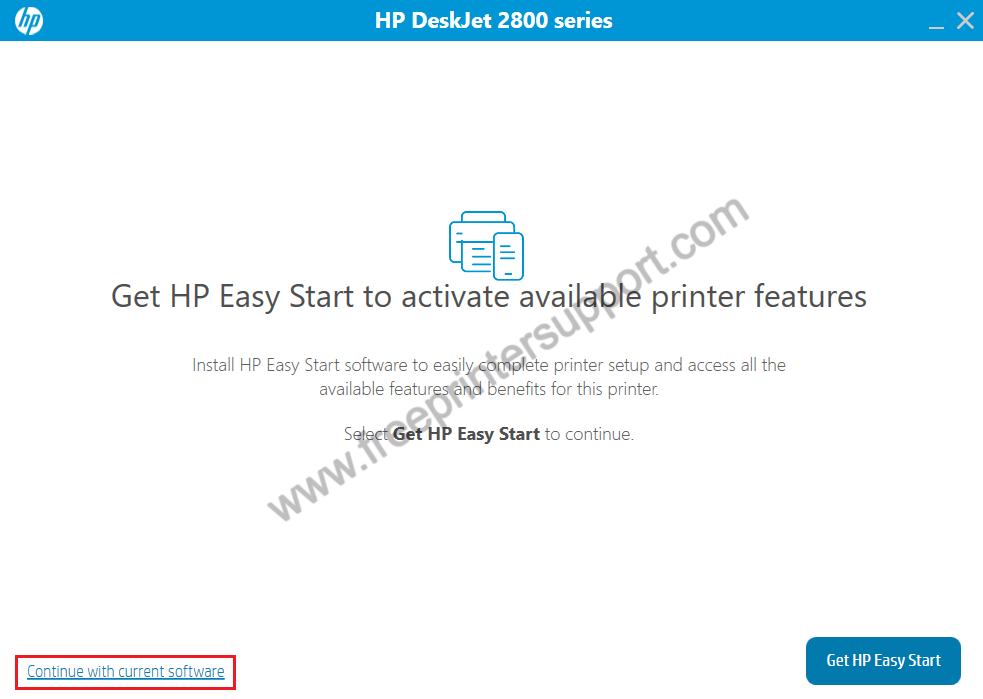
- You are using the latest version, so click on ‘Continue with current software’ link.
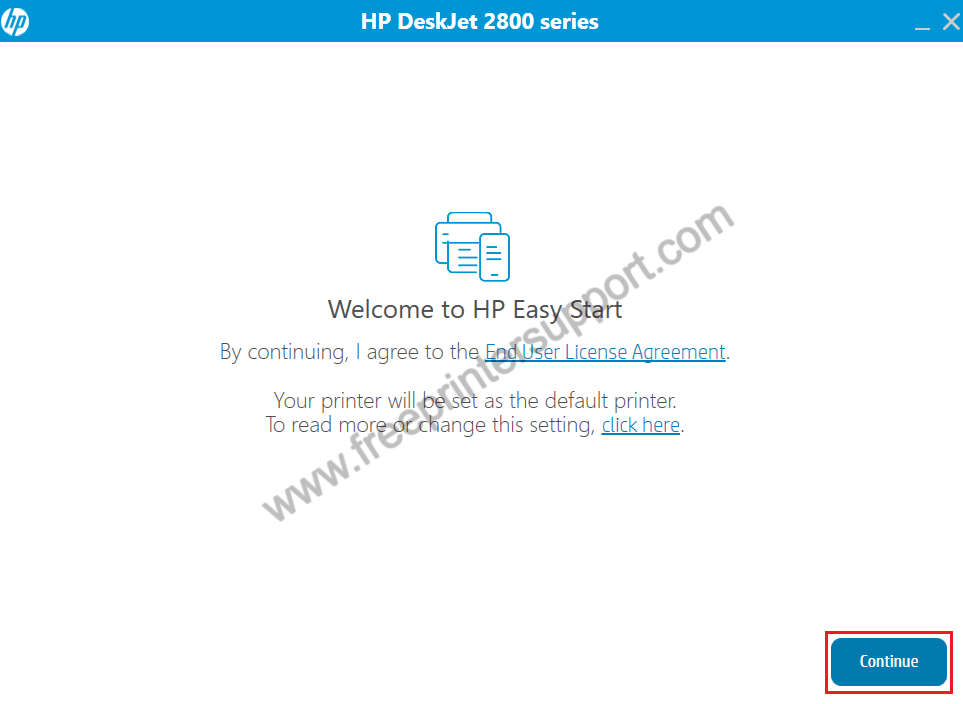
- Accept the terms of the license agreement and default printer settings by clicking on ‘Continue’.
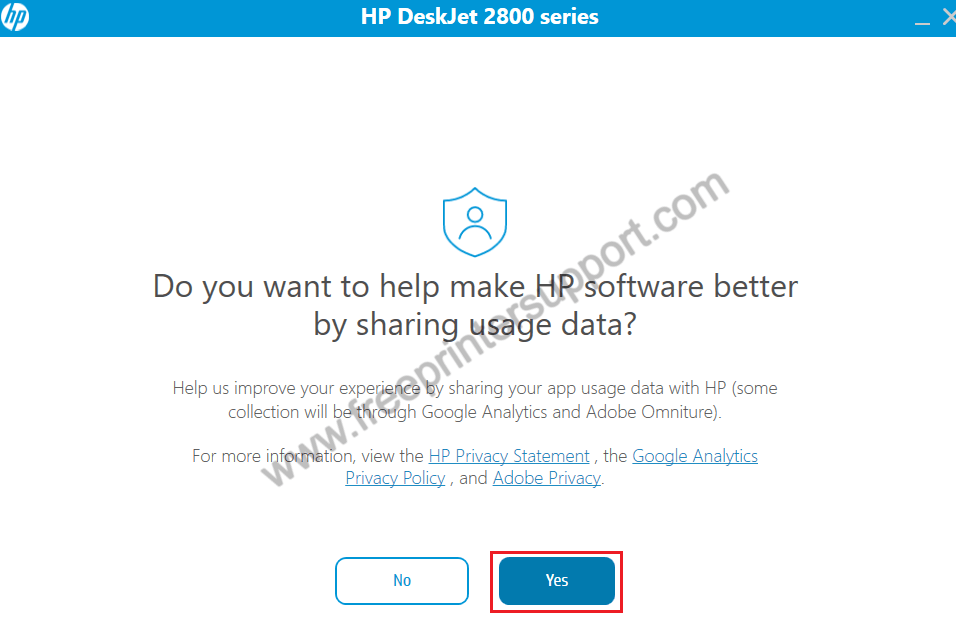
- If you want to share your printer data with HP, then click on ‘Yes’, otherwise, click on ‘No’.
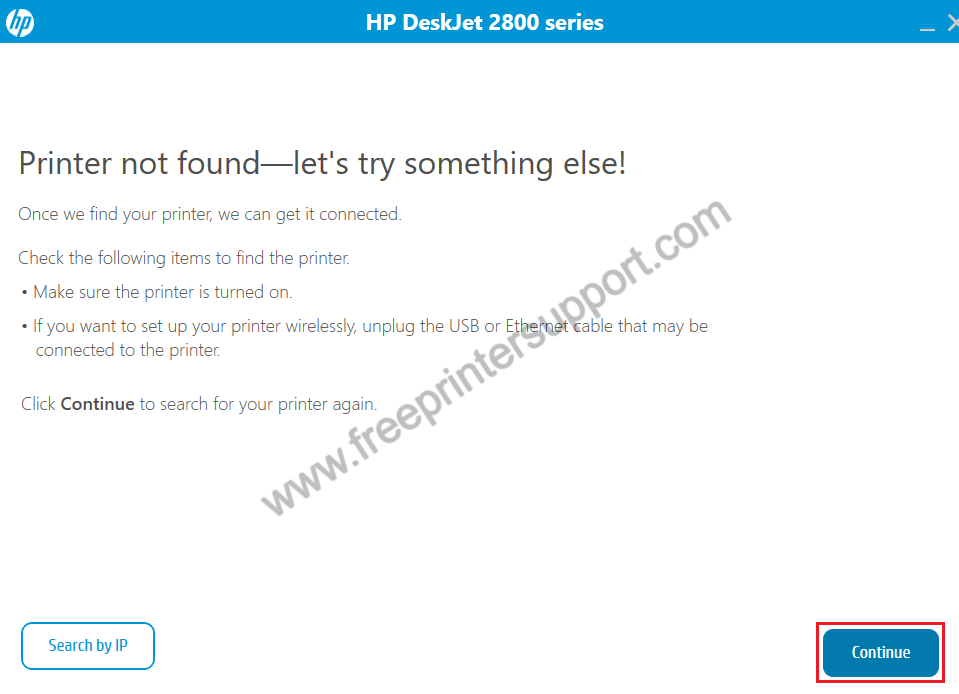
- Connect your printer with your computer via USB port, switch on your printer, then click ‘Continue’. Wait for the installer to identify your printer, then follow the prompts to install your printer.


That’s it, installation of the HP DeskJet 2875 driver package has completed.
2) Basic Driver
The right method of installing the HP DeskJet 2875 basic driver is described in this free guide: How to install a printer driver manually using basic driver (.INF driver).
Now you know how to easily and properly install the latest HP DeskJet 2875 printer driver on your computer.