


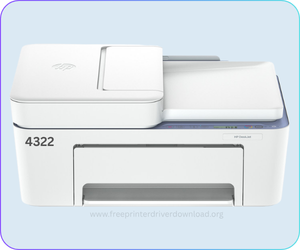
HP Deskjet 4322 is an all-in-one color printer with a flatbed scanner and wireless connectivity. In order to use all the features through a computer, you will have to install its latest version driver on the computer where you want to install this printer. You can download the driver & software from the download section of this page which is given below and then follow the below given step-by-step guide which is also given just beneath the download section. WiFi setup guide is also available there. Once you have updated drivers to the latest version, some minor issues will be fixed automatically. It is recommended to install or update the drivers.
This printer supports Windows 11, 10, 8, 8.1, 7, Vista, XP (32bit / 64bit), Server 2000 to 2026, Linux, Ubuntu, Mac 10.x, 11.x, 12.x, 13.x, 14.x, 15.x, 26.x Tahoe Operating Systems. All the supported operating systems’ drivers are given below. So let’s start the installation process by downloading the drivers first and then follow the given how-to install guide.
Advertisement
Download HP Deskjet 4322 Printer Driver for PC
To download the driver, you will have to go to the list below where I have listed all the drivers and software that is supported by this 4322 printer. You just need to click on the download button in front of the operating system where you wish to install this printer.
Drivers for Windows
Supported OS: Windows 11, 10, 8, 8.1, 7, Vista, XP (32bit/64bit), Server 2000 to 2026, Linux, Ubuntu, Mac 10.x, 11.x, 12.x, 13.x, 14.x, macOS 15 Sequoia, 26.x Tahoe Operating Systems.
Full Feature driver for Windows 11, 10, 8, 8.1, 7, Server: Download (373.5 MB) Recommended
Full Feature driver for Windows 11 ARM Only: Download (118.6 MB)
Firmware for Windows All Editions: Download (14.5 MB)
Drivers for Mac
Supported OS: Mac All Editions.
Full Feature Driver for Mac OS 10.x, 11.x, 12.x, 13.x, 14.x, macOS 15 Sequoia, 26.x Tahoe: Download (6.26 MB)
Firmware for Mac All Editions: Download (17.9 MB)
Drivers for Linux
Supported OS: Linux All Editions
Full Feature Driver for Linux and Ubuntu: Download (25.9 MB)
OR
You can download the HP Deskjet 4322 driver from HP’s official website.
How to Install HP Deskjet 4322 Printer Driver on a PC
After downloading the driver, it is very important to install this driver pack properly on your computer. So you just need to follow the given step-by-step installation guide, which I have prepared while installing this printer on my computer. You can apply the same steps and same drivers for Windows 11, 8 and Windows 7 as well.
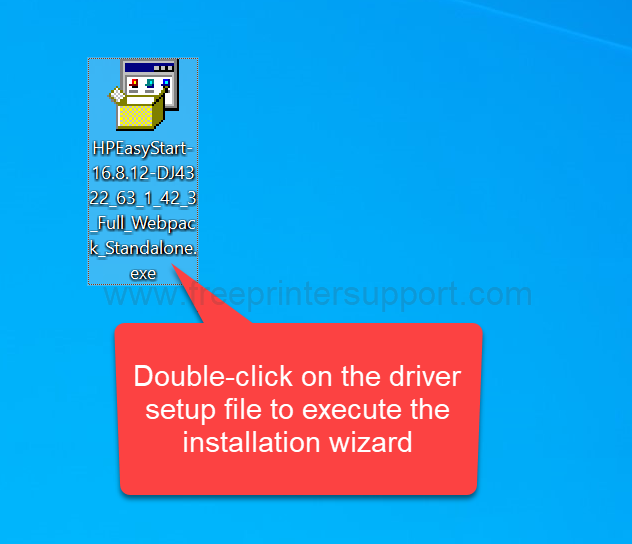
Step 1: Double-click on the downloaded driver file “HPEasyStart-16.8.12-DJ4322_63_1_42_3_Full_Webpack_Standalone.exe” file to execute the installation wizard. If you don’t have this driver, then you can easily download it from the download section that is given above.

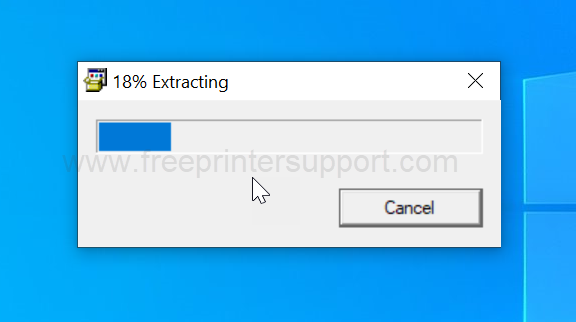
Step 2: It is now extracting the drivers, so please wait for that.

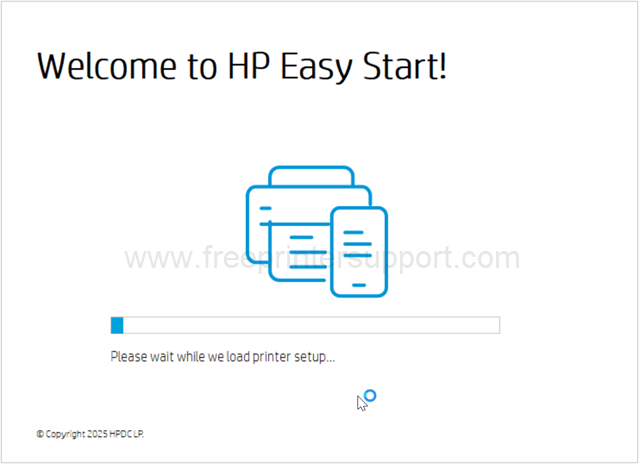
Step 3: Please wait while loading up installer.

Step 4: Please accept the terms and conditions by clicking on continue.

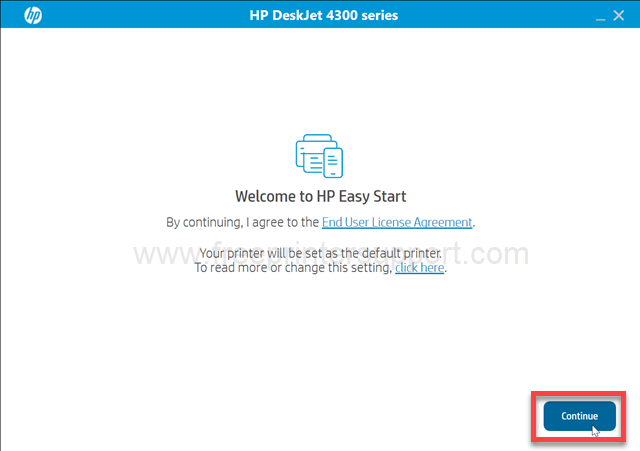
Step 5: Please accept the terms and conditions that you are accepting to share the software diagnostic data with HP (for debugging purposes only).
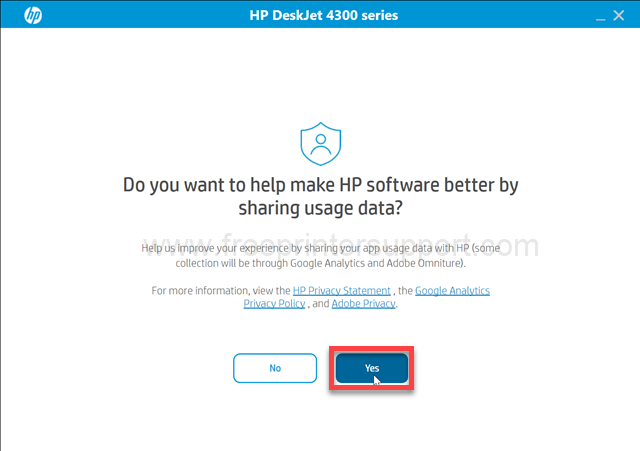
Step 6: Now it is searching for the printer, so please make sure your printer should be connected to the computer either through USB cable through WiFi with the router. Also make sure the printer is turned ON.
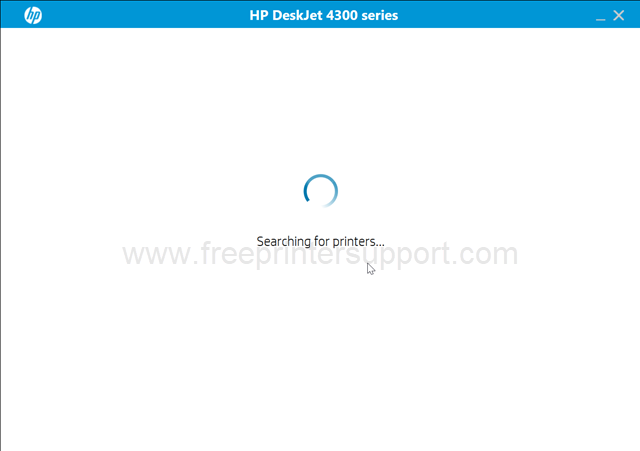
Step 7: It says “printer not found” please click on continue to get more specific connectivity option.
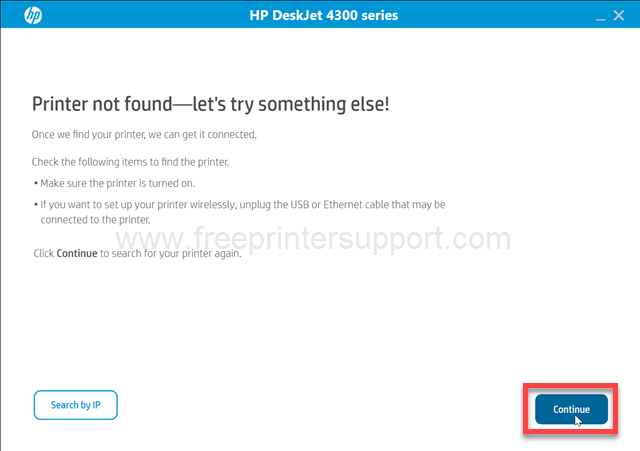
Step 8: Now, please select the preferred connection type and click on continue. I am choosing USB.
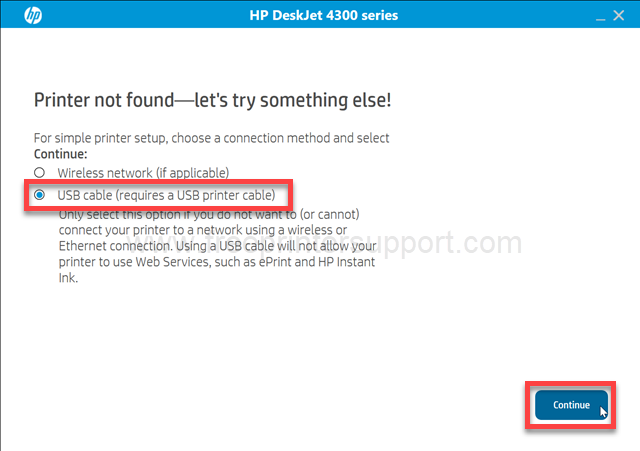
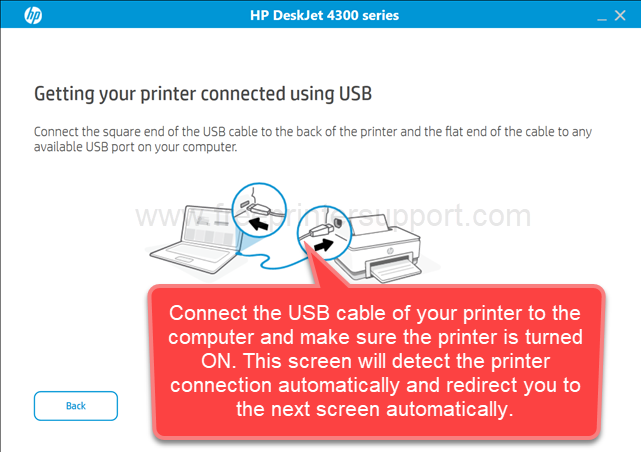
Step 9: Now, please connect the USB cable to the computer and this screen will detect the printer and then click on Continue. After that, click on Finish to complete the installation process.

So this is how you can install this HP Deskjet 4322 printer on a Windows machine. I have installed this printer on my Windows 10 computer, but you can apply the same steps and same driver if would like to install it on Windows 11, Windows 8 and Windows 7 as well.
HP Deskjet 4322 Full Specifications
As I have discussed earlier, the HP DeskJet 43 double two printer is a multifunction printer. The technical model number of this printer is A2-4HNB. This is a very compact printer with wireless and color printing option. This is a very suitable printer for home and small offices. This printer can print, scan and copy at a speed of 20ppm with a resolution of 1200 x 1200 dpi. In color, it can give you 12 ppm speed at a resolution of 4800 x 1200 dpi.
It comes with a flatbed scanner along with the PDF, which can hold and process up to 35 pages at a time. The scan speed of the printer is 2.5 ipm at 200 DPI for both black and white and color scans. The copy speed is 6 CPM at a resolution of 300 x 300 DPI.
This printer has a inbuilt 1 gigahertz processor along with 34 MB RAM to handle multiple commands. There is no internal storage. It has an icon LCD display, along with 7 function buttons and 5 LED indicators which are situated on the top of the printer. This printer works on inkjet technology, which gives you crisp and clear output.
Although the printer has an ADF, it does not support automatic duplex printing. It supports manual duplex printing, but there is no manual duplex printing option available in the printer driver. To print on both sides of a paper, you will need to manually turn or reposition the paper and print the other side. As this is not a photo printer, this does not support borderless printing as well. There will be a border on the all side of a paper when you print.
This printer has an input and one output tray. The input tray can hold 60 pages at a time, and the output tray can also hold 35 pages at a time after printing. This printer supports A4, B5, A6, and envelope size papers.
There are two connectivity options. One Wi‑Fi and the second one is USB. This can also installed on mobile as well using their own official apps like HP App, Apple AirPrint, HP Print Services Plugin for Android. There is no Ethernet connectivity, so you will have to connect it to your local network through Wi‑Fi only.
This printer uses two cartridges, one black and one tri-color. The model number of the cartridges is HP 308. The black cartridge will give you 160 pages, and the tri-color cartridge will give you 120 pages in one refill or replacement.
The dimensions of the printer is 128 mm in width, 332 mm in depth, and 200 mm in height. The total weight of this printer is around 6 kg, and the power consumption of the printer is very low, which is around 3 watts while printing.
So this is all I have explained about this HP Deskjet 4322 printer, the driver download link and process, the installation process and the complete specification and features about this printer. So hope you like my efforts. Enjoy the article and have a great day.