

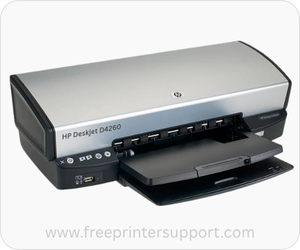
HP DeskJet D4260 is a single function (Print Only) color printer. It’s a USB printer. Although HP has discontinued this model number, but it can still work with the latest operating systems like Windows 11, 10 and Server 2026 as well. This particular model number (D4260) falls under the D4200 series family. The product number of this printer is CB641A#B1H.
In order to install this d4260 printer on the latest operating systems, you need to download & install its latest version driver. I have given all the supported operating system drivers download links in the download section below, just click on the download button according to the operating system version from the below given list.
Advertisement
After that, follow the below given step-by-step installation guide which is also given just beneath the download section.
Download HP DeskJet D4260 Printer Driver for PC
Right driver is the most important part when you install any device on your computer. If you don’t choose the right driver, you may face driver conflict. That’s why I am providing a list below where all the D42 60 printer drivers are listed, along with the operating system version. I have given all its supported operating system drivers in the list below. You just need to click on the download button according to the operating system version you have.
Driver for Windows
Supported OS: Windows 11, 10, 8, 8.1, 7, Vista, XP (32bit / 64bit), Server 2000 to 2026
Full feature driver installer for Windows 11, 10, 8, 8.1 → Download (163 MB) | Recommended
Basic driver installer for Windows 7 → Download (136.7 MB)
Basic driver installer for Windows Vista, XP → Download (36 MB)
Basic driver installer for Server 2000 to 2003 → Download (36.1 MB)
Basic driver installer for Server 2008 – 2012 → Download (136.7 MB)
Basic driver installer for Server 2016 to 2026 → Download (163 MB)
Basic INF driver for Windows All Editions → Download (10.5 MB) | Basic Driver
Basic INF driver for Windows All Editions → Download (10.5 MB) | Basic Driver
OS Upgrade Patch driver for Windows Vista → Download (1.2 MB)
Driver Update for Windows All Editions → Download (16.8 MB)
Firmware for Windows All Editions → Download (25.3 MB)
Driver for Mac
Supported OS: macOS 10.x, 11.x, 12.x, 13.x, 14.x, 15.x, 26.x, 27.x
Universal driver for Mac OS X All Editions → Download (6.26 MB)
OS Upgrade Patch driver for Mac OS X All Editions→ Download (10.6 MB)
Driver for Linux
Supported OS: Linux & Ubuntu REM/DEB (32bit / 64bit)
Universal driver for Linux All Editions → Download (25.6 MB)
OR
Alternately, you may download the HP D4260 driver from HP’s official website.
How to Install HP DeskJet D4260 Printer Driver
In order to install this printer properly, you just need to follow the below given step by step installation guide. I have provided the steps with the screenshots as well.
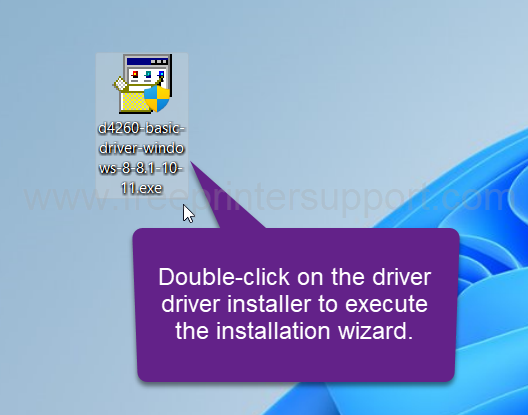
Step 1: Double click on the downloaded driver file to execute the installation wizard. If you don’t have this driver, you can download it from the above given download section. Please scroll up and download the driver file first.

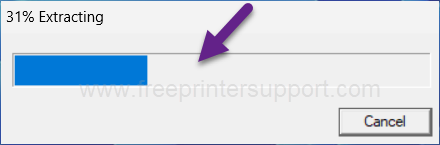
Step 2: After that, it will start extracting the driver into a temporary folder. Please let it be done and wait for that.

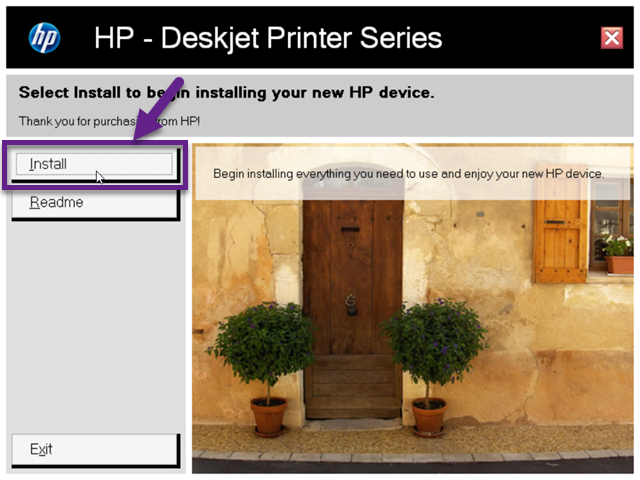
Step 3: The installation wizard has been started. You just need to click on install button to start the installation process.

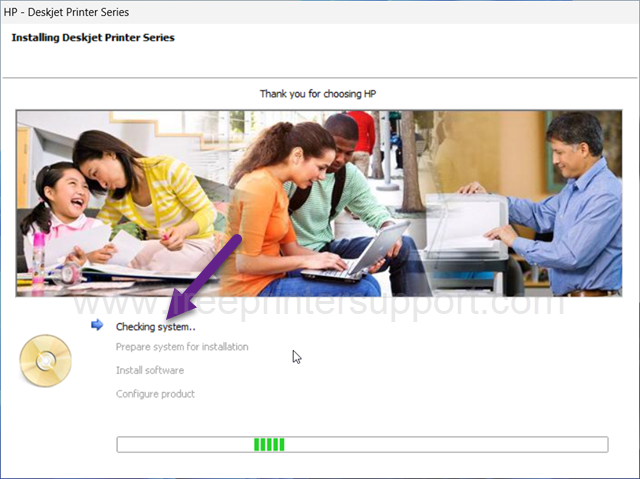
Step 4: The installation has started. So it is checking for system configuration and preparing the installation. So please wait for that.

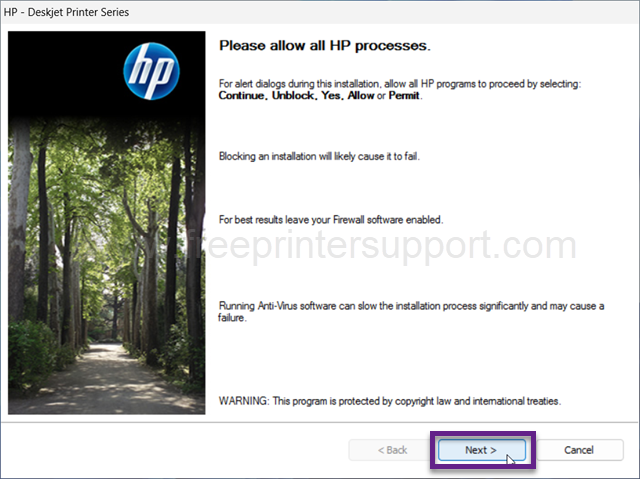
Step 5: Please click on Yes to permit this installer so that your firewall will not block it.
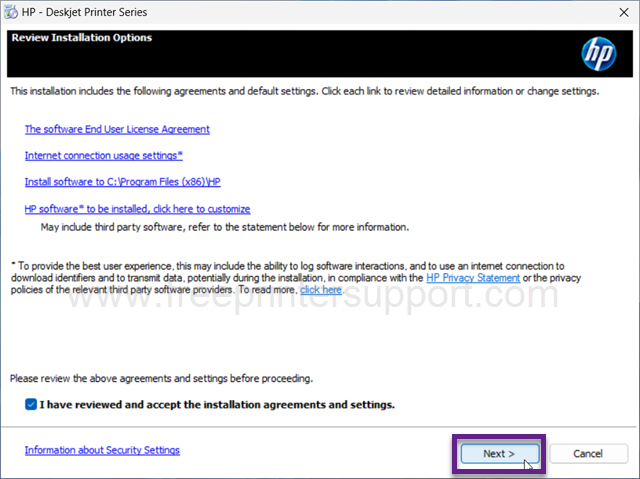
Step 6: Now please tick the given checkbox “I have reviewed and accept the installation agreement and settings” and then click on Next.
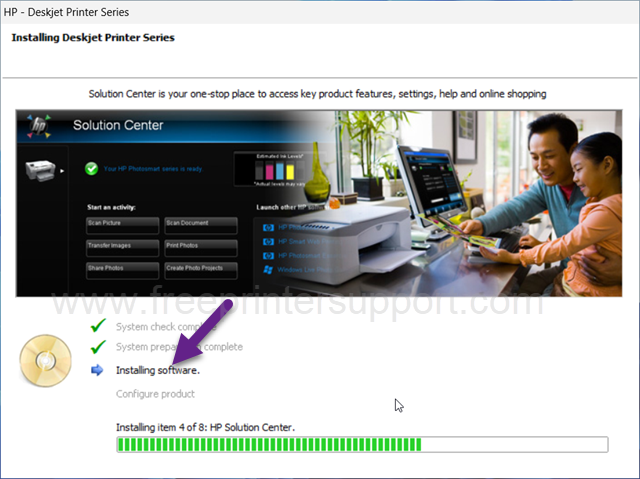
Step 7: After that, the main installation process will start. It is now installing the software and drivers. There are 8 processes that have to be completed, so I will do all them one-by-one. Please wait for that and let it be done.
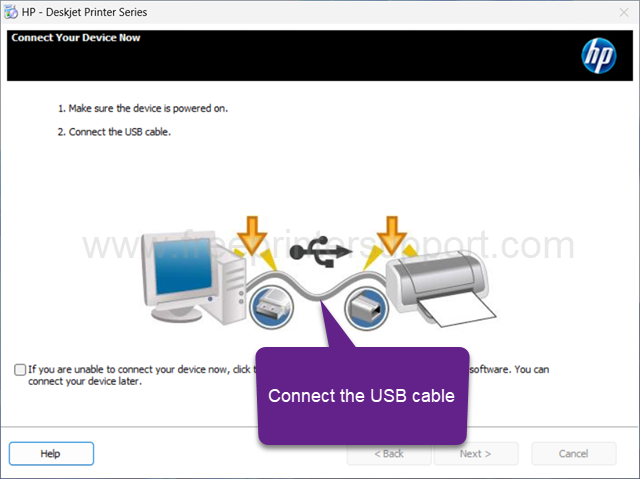
Step 8: Now it is asking to connect the USB cable from the printer to the computer and make sure the printer is turned on. After that it will auto detect the printer connectivity and then you just need to click on Next.
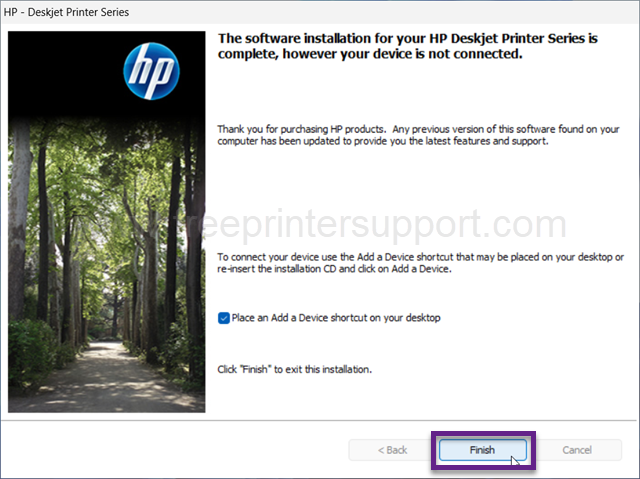
Step 9: The installation process has been completed. You just need to click on Finish to complete the installation process.
HP DeskJet D4260 Full Specifications
The D4260 is a single function printer that uses inkjet technology to print. As this is an inkjet printer, it consumes very low power. It uses only 44 watts maximum while printing.
This printer has two USB ports. One is for communication between the printer to the computer, and the second one is for the flash drive. You can connect your camera or flash drive to the device directly. Although you cannot print directly from the camera or USB flash drive, these ports allow you to connect them to a printer and copy your photos to the computer.
This printer uses two ink cartridges. One is black (HP 74), and the other is a tri-color cartridge (HP 75). If needed, you can buy these cartridges by using these model numbers.
There are very few features in this printer because it’s only a single functional printer. It can print only through the USB cable. But all the features that are in this printer can be usable only when you install its driver and software. The software and drivers are already given above in the download section.
On this page, I have explained everything about this D4260 model number printer, the drivers, the how to install guide and the full specification of this printer. Hope you like my efforts.