


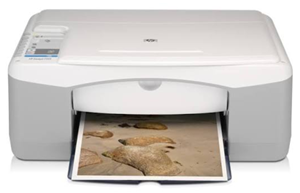
The HP Deskjet F390 is an all-in-one inkjet black & white printer. This printer can print, scan and copy with very crisp quality. It is a USB connectivity printer – you can connect this printer to the computer through USB cable only. You will have to install the latest version driver on your computer. You can easily download its driver easily from HP’s official website or from the below given download section.
This HP F390 printer supports Windows 7, Vista, XP (32bit/64bit), Server 2000 to 2012, Linux, Ubuntu, Mac 10.x Operating Systems.
Advertisement
Download HP Deskjet F390 Printer Driver for PC
In order to download the right driver for your HP F390 printer in free, you just need to click on the download link which is given below according to the operating system version of your computer.
Driver for Windows
Supported OS: Windows 11, 10, 8, 8.1, 7, Vista, XP (32bit / 64bit), Server 2000 to 2026, Linux, Ubuntu, Mac 10.x, 11.x, 12.x, 13.x, 14.x, 15.x, 26.x Tahoe Operating Systems.
Full feature driver for Windows XP, Vista, Server 2000, 2003 (32bit): Download 32bit (218 MB)
Full feature driver for Windows XP, Vista, Server 2000, 2003 (64bit): Download 64bit (289 MB)
Full feature driver for Windows 7 (32/64bit): Download (363 MB) | Recommended
Universal Driver for Windows 11, 10, 8, 8.1: Download 32bit | Download 64bit
Driver for Mac
Supported OS: Mac OS 10.x. macOS 11.x, 12.x, 13.x, 14.x, 15.x, 26.x, 27.x are not supported
HP Easy Start driver for Mac 10.1 to 10.5: Download (6.24 MB)
Driver for Linux
Supported OS: Linux & Ubuntu
Universal driver for Linux & Ubuntu REM/DEB (32bit / 64bit): Download (25.9 MB)
OR
You may download the F390 drivers from HP’s official website.
How to Install HP Deskjet F390 Printer Driver on a PC
To install this printer driver properly on your computer, you just need to follow the following steps carefully.
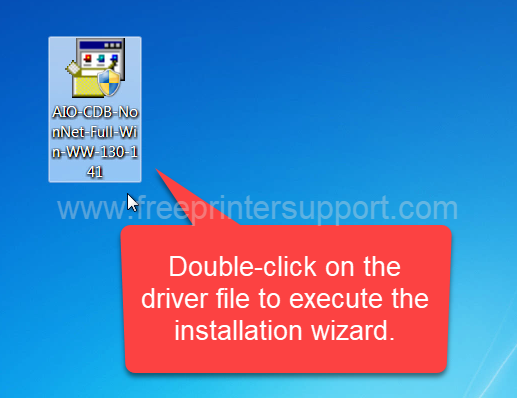
Step 1: Double-click on the driver file to execute the automatic installation wizard.

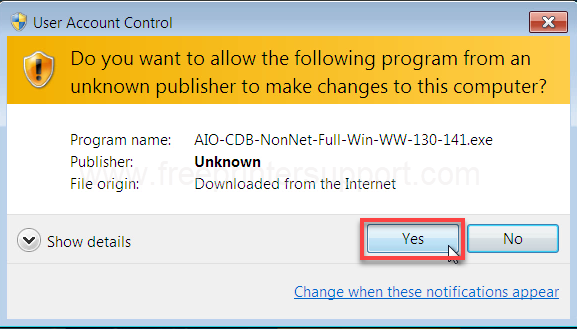
Step 2: Click on Yes to allow installer to start.

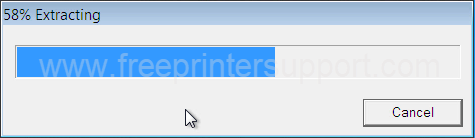
Step 3: The driver files are not being extracted, so please wait for that.

Step 4: Click on Install button to begin the installation.

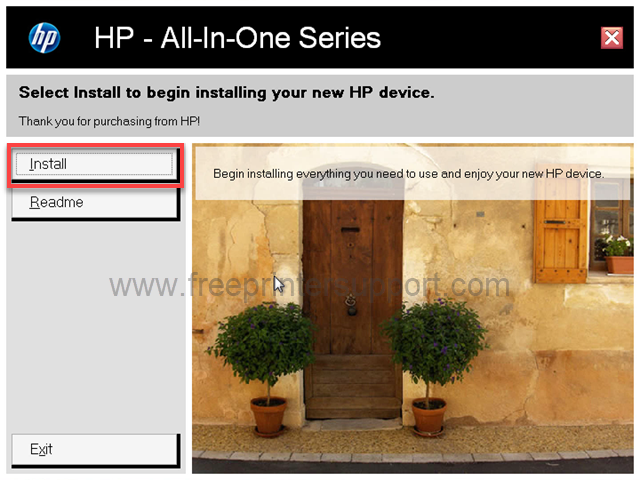
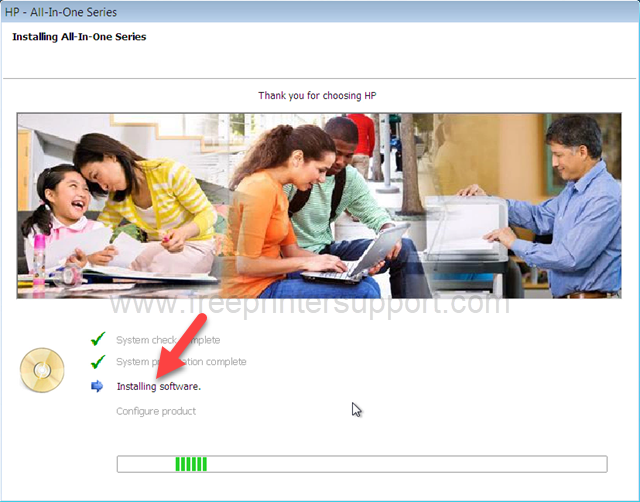
Step 5: It is now installing the drivers, so please let it be installed.

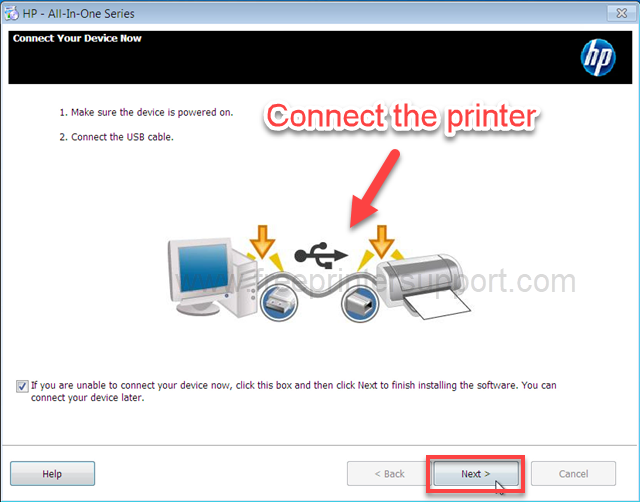
Step 6: Now please connect the USB cable of your printer to the computer and make sure the printer is turned ON. This screen will detect the USB connection and go further.

Step 7: Now it is configuring the printer, so please let it be done and wait for that.

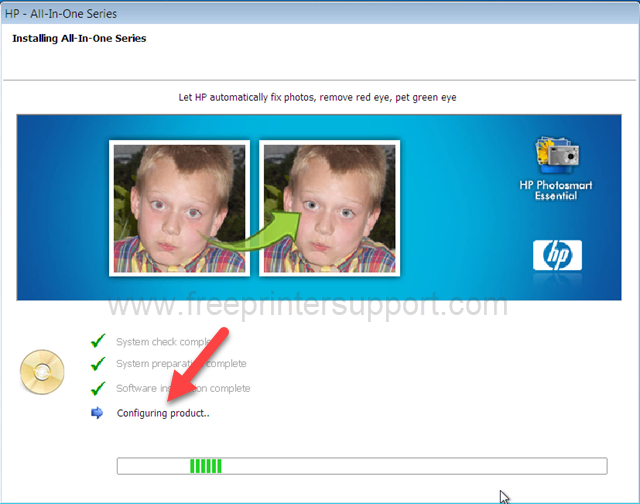
Step 8: The printer has b
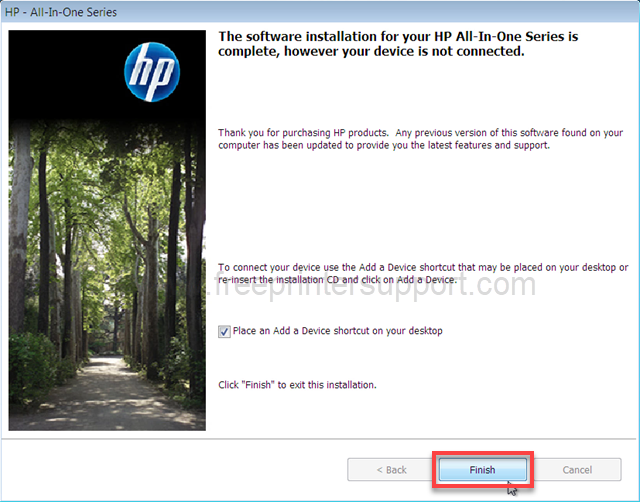
Step 9: All the installation process has been finished. The printer has been installed successfully.

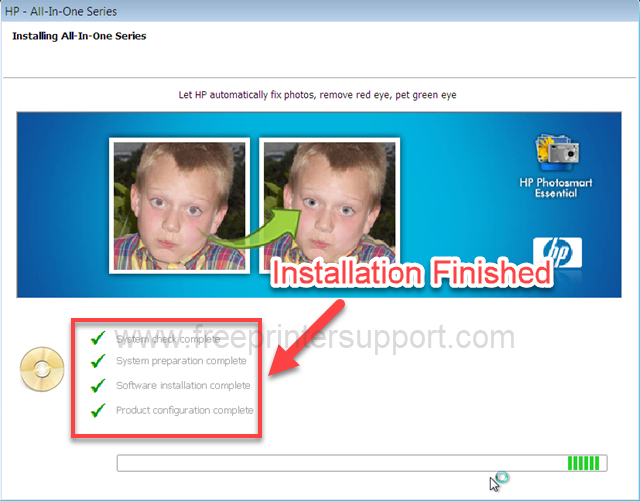
This is how you can install this HP Deskjet F390 printer driver on a Windows 7 computer but you can apply the same driver and same steps for Windows 10, 11, 8, 8.1 as well.