

The HP Photosmart C5283 is a great choice for printing professional quality photos, but this printer will deliver its best performance only when you install it by using its latest version drivers. Therefore, I have shared in this guide single-click download links of the latest version drivers of this all-in-one printer. Additionally, I am sharing installation guide for the drivers, so that you can install them without any problems.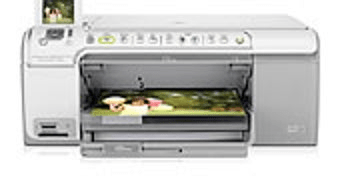

HP Photosmart C5283 Driver for Windows
Supported OS: Windows XP, Vista, 7, 8, 8.1, 10, 11 (32bit/64bit)
Advertisement
| Driver File | Size | Download |
| Full Feature Driver for Windows XP, Vista (32bit/64bit) Driver Type: Full Feature Driver File Name: psc5283-full-feature-driver-windows-xp-vista.exe Version: 1.2 Language: English Driver Pack Included: Printer & scanner driver |
196.0 MB | Download |
| Full Feature Driver for Windows 7 (32bit/64bit) Driver Type: Full Feature Driver File Name: psc5283-full-feature-driver-windows-7.exe Version: 1.2 Language: English Driver Pack Included: Printer & scanner driver |
312.0 MB | Download |
| Full Feature Driver for Windows 8, 8.1, 10, 11 (32bit/64bit) Driver Type: Full Feature Driver File Name: psc5283-full-feature-driver-windows-8-10-11.exe Version: 1.2 Language: English Driver Pack Included: Printer & scanner driver |
280.0 MB | Download |
| Basic Driver for Windows XP, Vista (32bit/64bit) Driver Type: Basic Driver File Name: psc5283-basic-driver-windows-xp-vista.exe Version: 1.2 Language: English Driver Pack Included: Printer & scanner driver |
36.1 MB | Download |
| Basic Driver for Windows XP, Vista (32bit/64bit) Driver Type: Basic INF Driver File Name: psc5283-basic-inf-driver-windows-xp-vista.exe Version: 1.2 Language: English Driver Pack Included: Printer & scanner driver |
60.2 MB | Download |
| Full Feature Driver for Server 2003 to 2025 (32bit/64bit) | – | Not Available |
Driver for Mac
Supported OS: Mac OS 10.12 to 10.15, 11.x, 12.x, 13.x, 14.x, 15.x
| Driver File | Size | Download |
| Full Feature Driver for Mac OS 10.x, 11.x, 12.x, 13.x, 14.x, 15.x File Name: hp-easy-start-mac.zip Version: v10.8 Language: English Driver Pack Included: Printer & scanner driver |
10.8 MB | Download |
| Full Feature Driver for Mac OS 10.6 File Name: psc5283-full-feature-driver-mac-10.6.dmg Version: 1.6 Language: English Driver Pack Included: Printer & scanner driver |
140.0 MB | Download |
| Full Feature Driver for Mac OS 10.5 File Name: psc5283-full-feature-driver-mac-10.5.dmg Version: 1.6 Language: English Driver Pack Included: Printer & scanner driver |
191.0 MB | Download |
Driver for Linux/Ubuntu
Supported OS: Linux/Ubuntu
| Driver File | Size | Download |
| Universal Driver for Linux and Ubuntu File Name: hplip.run Version: v23.8 Language: English Driver Pack Included: Printer & scanner driver |
25.9 MB | Download |
OR
Download the HP Photosmart C5283 driver from HP’s official website.
How to Install HP Photosmart C5283 Driver
In this section, you will find installation guide of the full feature driver and basic driver (inf driver). Read them before installing your HP Photosmart C5283 all-in-one printer driver.
1) Full Feature Driver
Follow these steps to install the full feature HP Photosmart C5283 all-in-one printer driver:
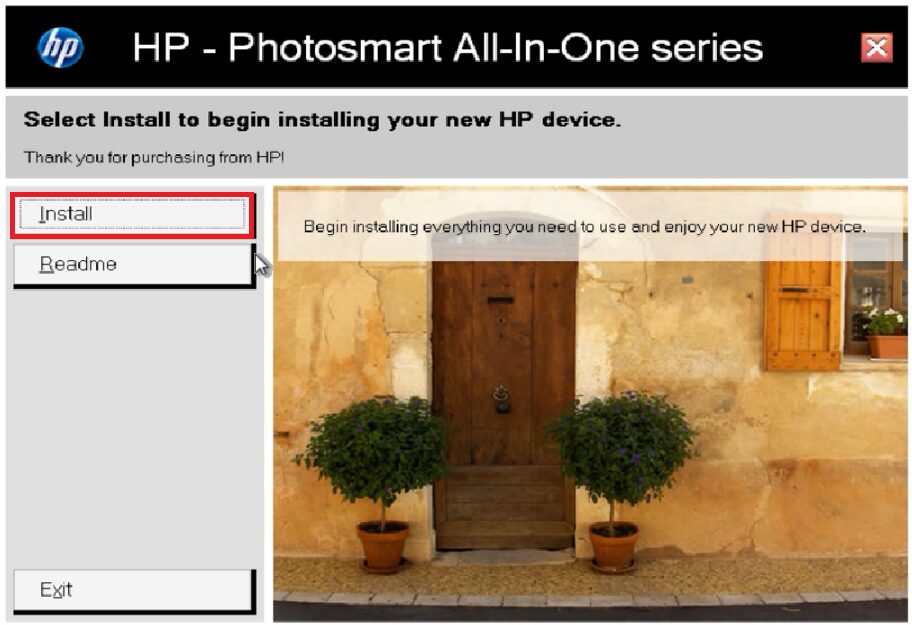
- Run the driver setup file to extract its contents, then click on ‘Install’.
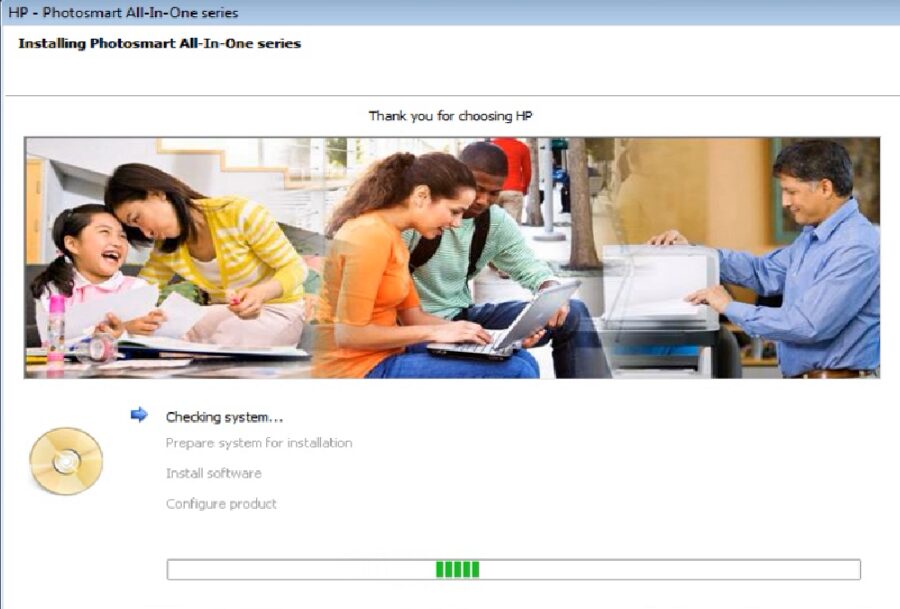
- Wait as installer program checks your system.
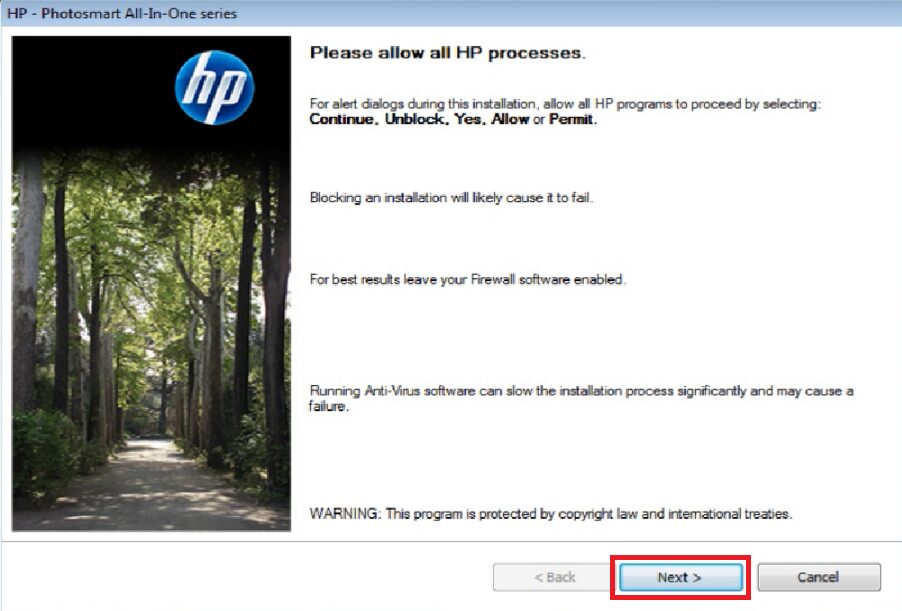
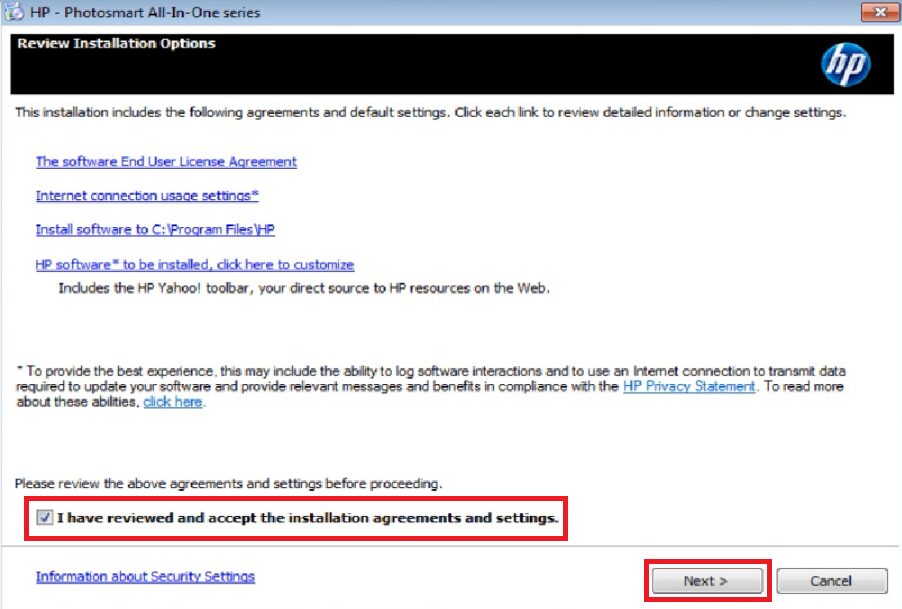
- Accept installation agreements and settings, then click ‘Next’.
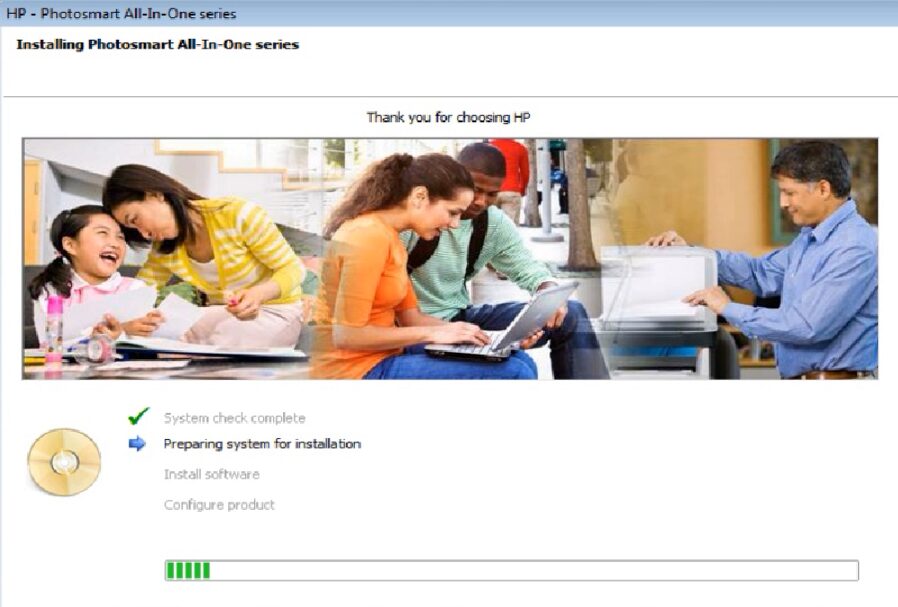
- Wait for installer program to prepare the system for installation.
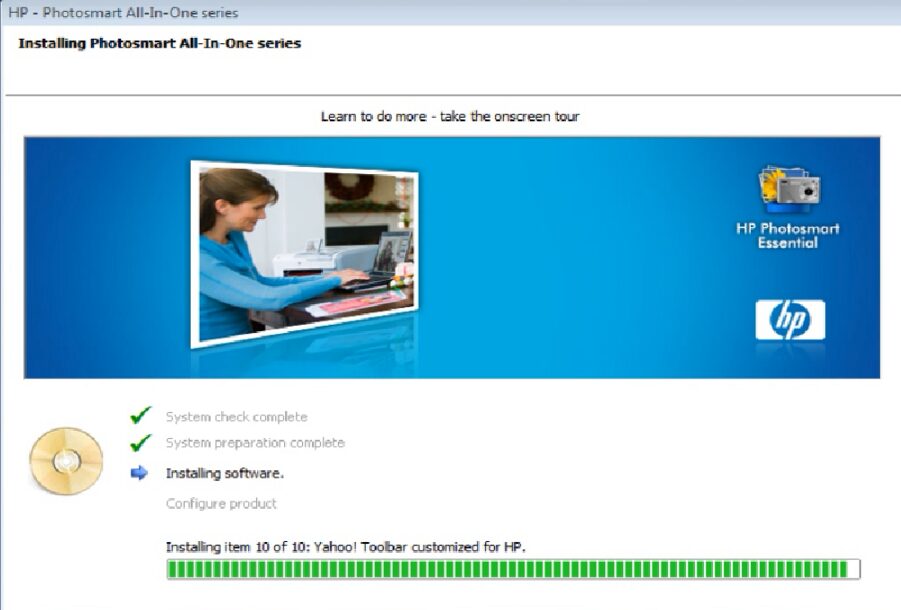
- Wait for the installation of the software and drivers to complete.
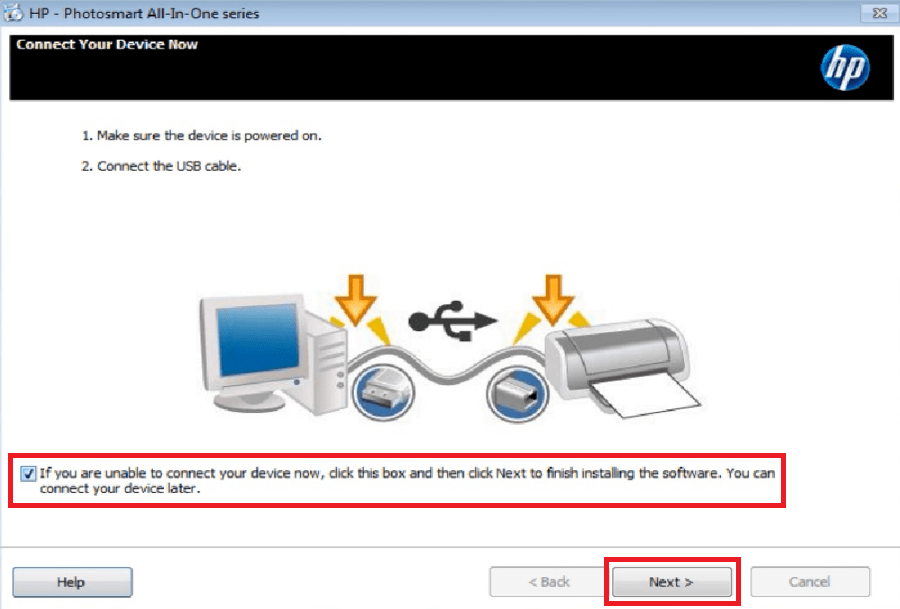
- You can connect your printer now with the USB port, or select the option to connect it later. Finally, click on ‘Next’.
- Click on ‘Finish’.
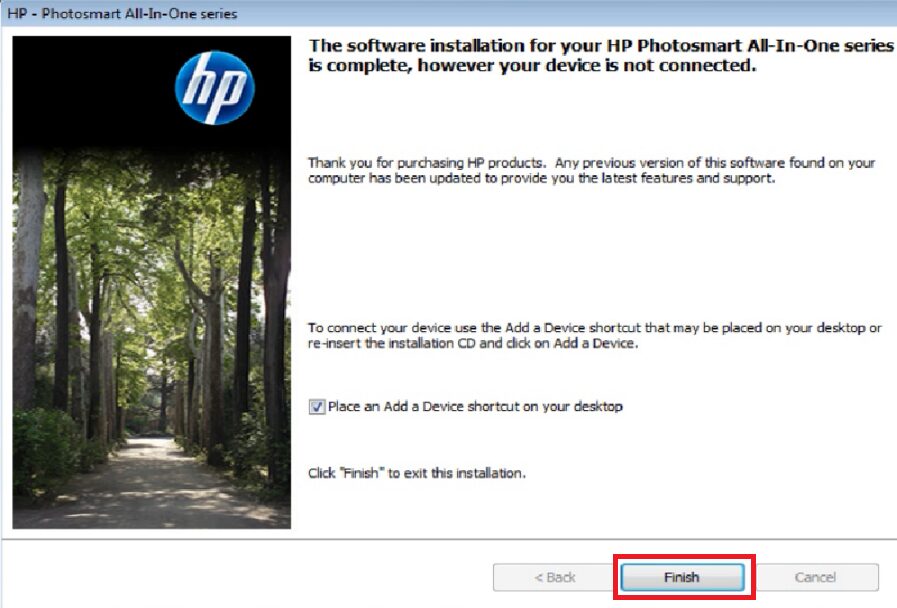


That’s it, the HP Photosmart C5283 driver package has installed successfully.
2) Basic Driver
If you have decided to install the HP Photosmart C5283 basic driver on your computer, then read the article: How to install a printer driver manually using basic driver (.INF driver).
Now you know how to install or update the latest HP Photosmart C5283 all-on-one printer driver on your computer.